
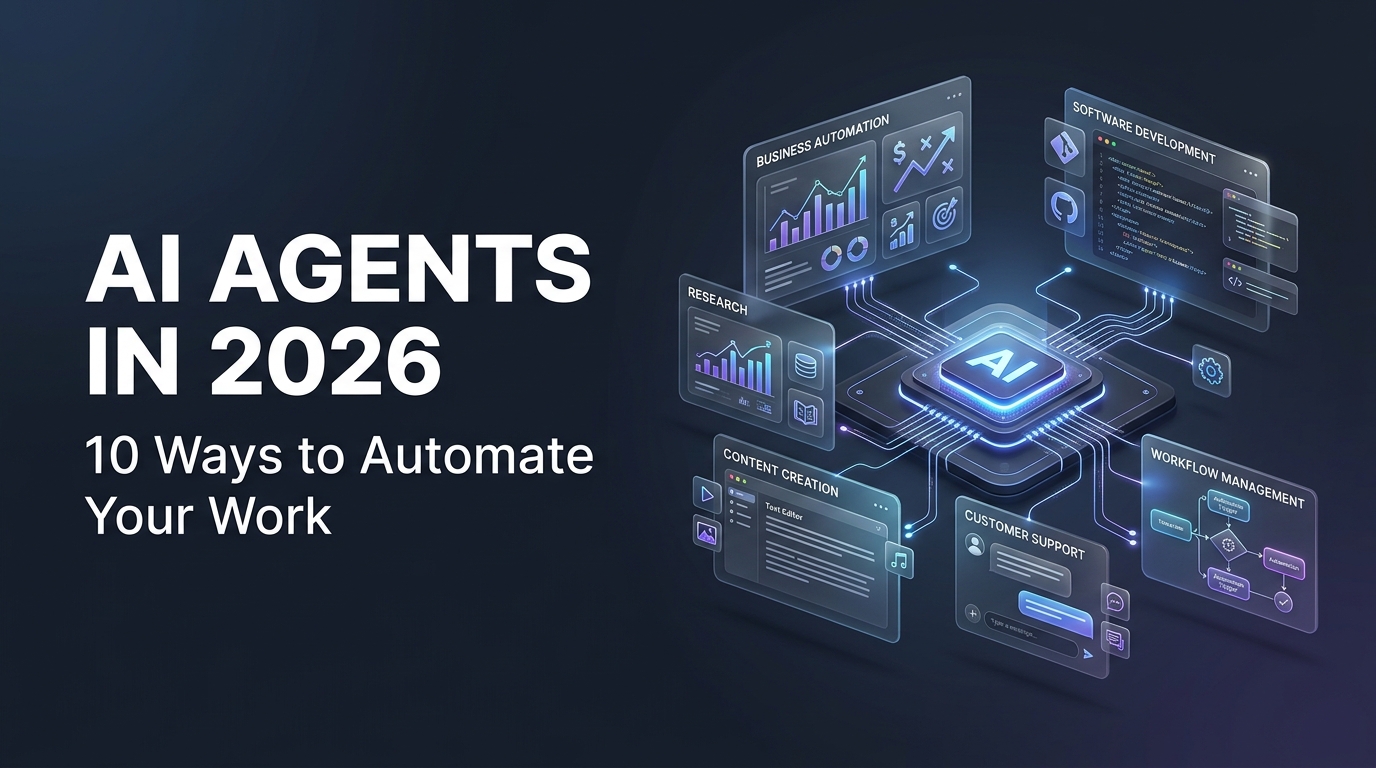
Artificial intelligence is evolving beyond simple chatbots and question-answering tools. In 2026, one of the most important developments in AI is the growing use of AI agents: systems designed to work toward specific goals, use available tools, and complete multiple steps with varying levels of human supervision.
Imagine having an AI assistant that can research a topic, organize information, prepare a report, update a task list, and help coordinate a workflow. Instead of manually handling every step, you can define the goal, provide the necessary instructions, and let an appropriately configured AI system assist with the process.
This is the idea behind AI agents. They can help freelancers, developers, marketers, entrepreneurs, and business teams reduce repetitive work and focus on tasks that require creativity, expertise, and decision-making.
However, AI agents are not magic workers that can perform every task perfectly. Their capabilities depend on the underlying model, available tools, permissions, instructions, and integrations. They can also make mistakes, so important actions require appropriate testing and human oversight.
In this guide, we will explain what AI agents are, how they work, 10 practical ways they can automate work, which tools are worth exploring, and how to get started safely.
What Are AI Agents?
An AI agent is a software system that uses artificial intelligence to pursue a goal by interpreting information, deciding what to do next, and taking actions through available tools or integrations.
A traditional chatbot typically responds to a prompt with an answer. An AI agent may be able to go further by breaking a task into smaller steps, using a search tool, working with connected applications, checking intermediate results, and continuing until it reaches a defined stopping point.
For example, if you ask a chatbot to help you plan a marketing campaign, it may suggest a strategy. An appropriately configured AI agent could potentially research competitors, organize campaign ideas, prepare draft content, and create tasks in a connected project management system, subject to its permissions and integrations.
The difference is not simply that one uses AI and the other does not. It is the ability to coordinate multiple steps and take actions toward a defined objective.
How AI agents differ from ordinary chatbots
- Chatbots: Primarily answer questions, generate text, and respond to user instructions.
- AI assistants: Help with a broader range of tasks and may use files, tools, or connected services.
- AI agents: Can coordinate multi-step tasks, choose among available actions, and work toward a goal with varying levels of autonomy.
- Traditional automation: Follows predefined rules and workflows, often without independently deciding what action to take next.
These categories can overlap. A chatbot may have agent-like capabilities, and an AI agent may operate inside a conventional automation workflow. The important consideration is what the system can actually do, not simply what it is called.
How Do AI Agents Work?
Although implementations vary, many AI agents follow a similar process. They receive a goal, examine the available context, select an action, use a tool, evaluate the result, and determine whether another step is necessary.
- Receive a goal: The user explains the desired outcome, such as researching a topic or organizing incoming customer inquiries.
- Understand the context: The agent interprets the instructions, relevant information, constraints, and available resources.
- Plan the work: It determines which steps may be needed to achieve the goal.
- Use tools: Depending on its configuration, it may search the web, read files, run code, or interact with connected applications.
- Review the result: It evaluates the information returned by the tools and decides whether additional work is needed.
- Complete or escalate: It produces a result, requests clarification, or seeks human approval when required.
Not every agent performs every step independently. Some systems use fixed workflows, while others allow more flexible planning. Well-designed systems also include limits, error handling, permissions, and clear stopping conditions.
10 Ways AI Agents Can Automate Your Work in 2026
1. Automate Research and Information Gathering
Research is essential for content writers, marketers, consultants, business owners, and developers. However, collecting information from multiple sources can consume a significant amount of time.
An AI agent equipped with appropriate search and research tools can help investigate a topic, collect relevant sources, organize findings, and prepare a structured summary. This can provide a useful starting point for reports, blog posts, presentations, and business decisions.
Practical example
Imagine that you need to research the latest developments in AI website builders. An agent could help identify relevant platforms, locate their official documentation, organize their advertised features, and prepare a comparison for further review.
Tasks it can help with
- Collecting information about a specific industry.
- Finding official product documentation and relevant reports.
- Organizing research notes into categories.
- Preparing preliminary competitor comparisons.
- Summarizing long documents and identifying unanswered questions.
Important: Research agents can return inaccurate, outdated, or incomplete information. Verify important claims against original sources, particularly before publishing statistics, prices, technical specifications, or business recommendations.
2. Streamline Content Creation and Blog Writing
Content creation involves more than writing paragraphs. A professional article may require topic research, keyword planning, outlining, drafting, editing, fact-checking, formatting, and publication.
AI agents can help coordinate parts of this process. With suitable tools and instructions, a workflow might gather research, create an outline, prepare a draft, generate title suggestions, and assemble a review checklist.
Practical example
A freelance writer receives a request to create an educational article about AI automation. An AI-assisted workflow can help organize the client's brief, research the subject, propose headings, prepare a first draft, and identify statements that require verification.
Potential benefits
- Faster preparation of article outlines.
- More consistent content production workflows.
- Reusable templates for recurring article formats.
- Assistance with editing and proofreading.
- Better organization of publication tasks.
AI-generated content still requires editorial judgment. Add original insights, check facts, avoid repetitive wording, and ensure the article genuinely answers the reader's questions. Search visibility depends on usefulness, relevance, quality, and many other factors, not simply on whether AI was used.
3. Improve Customer Support and Lead Management
Businesses often receive customer questions about pricing, product features, delivery, appointments, and technical issues. Responding to every inquiry manually can become difficult as the volume of messages increases.
An AI agent connected to an approved knowledge base or customer support system can help classify incoming messages, suggest responses, retrieve relevant information, and route complex requests to the appropriate person.
Practical example
A small web development agency receives inquiries through its website. An AI-assisted workflow could categorize each inquiry as a website project, maintenance request, billing question, or general consultation. It could then prepare a suggested response or create a follow-up task for the team.
What can be automated?
- Classifying incoming support messages.
- Finding relevant answers in approved documentation.
- Preparing draft email responses.
- Identifying messages that need human attention.
- Organizing potential leads by service requirement.
- Creating follow-up reminders in connected systems.
Customer-facing automation should clearly handle uncertainty. Escalate sensitive complaints, billing disputes, unusual requests, and questions that the system cannot answer confidently. Never allow an agent to invent company policies or make unauthorized promises to customers.
4. Automate Repetitive Business Workflows
Many business processes involve moving information between applications. A new form submission may need to be recorded in a spreadsheet, added to a customer relationship management system, and forwarded to a team member.
Traditional automation platforms can handle predefined steps, while AI agents can add capabilities such as interpreting unstructured information, categorizing requests, or selecting among permitted actions.
Practical example
When a new client submits a project inquiry, an automation workflow could record the information, notify the responsible freelancer, and create a task. An AI component might also classify the request based on its contents and suggest which service category it belongs to.
Common automation opportunities
- Lead collection and routing.
- Task creation from forms or messages.
- Internal notifications and status updates.
- Document organization.
- Routine report preparation.
- Meeting follow-up and action-item tracking.
Start with simple, repeatable workflows before introducing complex autonomous behavior. Test each step, prevent duplicate actions, and define what happens when an application becomes unavailable or the incoming information is incomplete.
5. Assist Software Development and Debugging
Software developers spend time writing code, investigating errors, reading documentation, creating tests, and maintaining existing applications. AI agents and coding assistants can support these activities when they have access to the relevant code and development tools.
Depending on the system, an agent may be able to inspect a codebase, propose a change, run permitted tests, analyze error messages, and suggest another iteration. More advanced workflows may support multiple development steps, but their reliability depends on the environment and safeguards.
Practical example
A React developer is working on a dashboard that displays customer records. An AI coding assistant can help investigate a rendering error, suggest a fix, propose test cases, and explain the likely cause of the problem.
The developer then reviews the changes, tests the component, checks edge cases, and verifies that the fix does not break other features.
Where AI coding agents can help
- Understanding unfamiliar codebases.
- Drafting functions and components.
- Suggesting debugging strategies.
- Generating tests and documentation.
- Identifying potential errors in code.
- Assisting with repetitive refactoring tasks.
AI-generated code must be reviewed and tested. Protect API keys, restrict access to production systems, inspect dependencies, and require appropriate approval before merging or deploying significant changes.
6. Support Social Media Planning and Marketing
Social media marketing requires a consistent flow of ideas, posts, captions, visuals, scheduling, and performance reviews. An AI agent can help organize these tasks into a repeatable workflow.
For example, a marketing assistant could help turn a campaign brief into a content calendar, suggest several caption variations, organize creative requests, and prepare a draft performance report from supplied data.
Practical example
A freelancer manages social media for a local clothing business. The workflow begins with the monthly promotion plan. AI assistance can help develop post ideas, draft captions for different audiences, and create a checklist for the visual assets required for each post.
Marketing tasks that AI can support
- Generating campaign concepts and content calendars.
- Drafting captions and promotional copy.
- Adapting messaging for different social platforms.
- Organizing creative production tasks.
- Summarizing campaign metrics from supplied data.
- Suggesting content experiments for human review.
Review every post for factual accuracy, brand voice, cultural context, and appropriate claims. Publishing or spending advertising money should require explicit authorization and suitable account permissions.
7. Organize Meetings, Notes, and Project Tasks
Freelancers and teams often lose time reviewing meeting notes, remembering decisions, and converting discussions into actionable tasks. AI tools can help summarize notes, identify possible action items, and organize project information.
When connected to suitable productivity applications, an agent may help transfer approved action items into a task management system or prepare a follow-up message for review.
Practical example
After a website planning meeting, a freelancer has notes covering design revisions, required pages, content delivery, and launch dates. An AI-assisted workflow can organize the notes into categories, prepare a list of open questions, and draft a summary for the client.
Useful applications
- Summarizing meeting notes.
- Extracting potential action items.
- Preparing project status summaries.
- Organizing decisions and requirements.
- Drafting follow-up emails.
- Creating task lists from approved meeting outcomes.
Always verify names, responsibilities, deadlines, and decisions before distributing meeting summaries. Obtain appropriate consent before recording or processing meetings, and follow the privacy policies that apply to the people involved.
8. Assist E-commerce Businesses With Routine Operations
E-commerce businesses manage product information, customer inquiries, orders, inventory records, and promotional activities. AI agents may help organize some of these workflows when connected to authorized systems.
For example, an agent could categorize customer questions, draft product descriptions based on verified specifications, summarize customer feedback, or flag records that may require attention.
Practical example
An online store receives frequent questions about product sizes, shipping options, and return policies. An AI support workflow can search an approved knowledge base and prepare responses based on the store's actual policies. Uncertain cases can be forwarded to a human representative.
Potential use cases
- Drafting product descriptions from approved information.
- Categorizing customer inquiries.
- Summarizing product reviews and recurring complaints.
- Identifying possible inconsistencies in product records.
- Preparing routine sales or inventory summaries.
- Assisting with internal order-related workflows.
Inventory, pricing, refunds, and order changes can affect customers and revenue. Apply strict permissions, validate data, maintain audit records, and require human approval for consequential actions when appropriate.
9. Personalize Learning and Professional Development
Freelancers need to keep learning as technologies, customer expectations, and industry practices change. AI agents can help organize learning materials, explain difficult concepts, generate practice questions, and create study plans based on a defined goal.
A developer learning a new framework, for example, could use an AI assistant to break the subject into weekly topics, suggest exercises, explain errors, and review practice work.
Practical example
A freelancer wants to learn workflow automation. They can define a goal, such as building a simple lead-management workflow, and use AI to identify the required concepts, plan the implementation steps, and generate test scenarios.
Ways AI can support learning
- Creating structured learning plans.
- Explaining unfamiliar technical concepts.
- Generating practice problems and quizzes.
- Suggesting project ideas for a portfolio.
- Providing feedback on practice exercises.
- Organizing documentation and learning notes.
AI explanations can be incorrect or oversimplified. Compare them with official documentation, build real projects, and verify your understanding through practical testing.
10. Generate Reports and Support Business Decisions
Business owners and freelancers regularly need to understand performance data, summarize progress, and communicate results to clients. AI tools can help turn structured information into preliminary reports and highlight patterns that deserve further investigation.
With appropriate access to verified data and suitable analytical tools, an AI-assisted workflow can organize metrics, summarize changes over time, and draft an explanation of the results.
Practical example
A digital marketer needs to prepare a monthly campaign report. After exporting the relevant data, they can use analytical tools to calculate key metrics and an AI assistant to draft a readable summary of campaign performance, notable changes, and questions for the next review.
Reports AI can help prepare
- Project progress reports.
- Content performance summaries.
- Sales and lead summaries.
- Customer feedback reports.
- Operational summaries.
- Preliminary comparisons of business metrics.
Always check calculations, reporting periods, data sources, and assumptions. A pattern in a report does not necessarily explain why something happened. Important financial, legal, or operational decisions should be reviewed by qualified people with access to the full context.
Popular AI Agent Tools Worth Exploring in 2026
The AI agent ecosystem includes general-purpose assistants, coding tools, workflow automation platforms, and frameworks for building custom agents. The most appropriate choice depends on whether you want to use an existing assistant or build a specialized workflow for your own business.
1. ChatGPT
ChatGPT can assist with research, planning, writing, analysis, and supported tool-based workflows. The capabilities available depend on the plan, settings, and features enabled in your account.
2. Claude
Claude can help with writing, document analysis, coding, and other supported tasks. Developers can also explore its ecosystem for building AI-powered applications.
3. Zapier
Zapier connects supported applications through automated workflows. It can be useful when you want to coordinate routine business tasks without building every integration from scratch.
4. n8n
n8n is a workflow automation platform that supports integrations and AI-oriented workflows. It can be useful for users who want more control over how applications, APIs, and AI services connect.
5. LangChain
LangChain provides tools and frameworks for developers building applications powered by language models, including workflows that use tools and coordinate multiple steps.
6. CrewAI
CrewAI is a framework for building systems in which AI agents can be assigned roles and coordinated around a workflow. Developers should evaluate its current features and requirements before choosing it for a project.
How to choose between these tools
If you want to use AI for everyday tasks, start by evaluating a general-purpose assistant. If you need to connect business applications, explore workflow automation tools. If you are building a custom AI-powered product, investigate developer frameworks and test them against your technical requirements.
Check current documentation, supported integrations, usage limits, privacy terms, and pricing before adopting any tool. Product features and availability can change over time.
How to Build Your First AI Agent Workflow
You do not need to start with a complicated multi-agent system. A small, clearly defined workflow is often a better way to understand the technology and measure whether it provides value.
Step 1: Choose one repetitive task
Identify a task that takes time, happens regularly, and has a clear outcome. Examples include categorizing incoming inquiries, summarizing research, or preparing a first draft of a report.
Step 2: Define the desired outcome
Write down what the workflow should produce. For example, a lead-classification workflow might need to assign each inquiry to one of several categories and provide a short explanation.
Step 3: Select the appropriate tools
Choose an AI assistant, automation platform, or development framework based on the task. Avoid introducing unnecessary integrations before you understand the basic process.
Step 4: Set permissions and limits
Give the system only the access it needs. Define which actions it can perform independently and which require approval. Avoid unrestricted access to sensitive files, customer records, financial systems, or production environments.
Step 5: Test with realistic examples
Try normal cases, incomplete inputs, unusual requests, and situations in which the system should stop and ask for help. Review whether the results are accurate, consistent, and appropriate.
Step 6: Measure the outcome
Compare the workflow with your previous process. Measure time spent, error rates, review effort, and overall quality. Keep the automation only if it delivers a meaningful improvement.
Benefits and Limitations of AI Agents
AI agents can make certain workflows more efficient, but their benefits depend on the task and the quality of the implementation.
Potential benefits
- Less repetitive work: Automate suitable steps that otherwise require manual effort.
- Faster information processing: Organize and summarize large amounts of relevant information.
- Connected workflows: Coordinate actions across supported applications.
- Consistent processes: Reuse structured workflows for recurring tasks.
- More time for higher-value work: Focus on client relationships, strategy, creativity, and complex decisions.
Important limitations
- Errors: Agents can misunderstand instructions or produce inaccurate results.
- Integration limits: Not every application provides the required access or functionality.
- Unpredictable costs: Model usage, external services, and automation volume can increase expenses.
- Security risks: Improper permissions or malicious inputs may lead to unsafe actions.
- Ongoing maintenance: Workflows may need updates when APIs, applications, or business requirements change.
- Human oversight: High-impact actions often require approval, verification, or professional judgment.
Security and Privacy: Use AI Agents Responsibly
As AI agents gain access to tools and applications, security becomes increasingly important. An agent that can only draft text has a different risk profile from one that can send messages, edit customer records, execute code, or change production systems.
Before deploying an agent, consider the following safeguards:
- Use separate accounts and permissions where possible.
- Give agents access only to the information and functions they need.
- Keep passwords and API keys out of prompts and public documents.
- Require approval for sensitive or irreversible actions.
- Validate external inputs and treat retrieved content as untrusted.
- Record important actions and review unexpected behavior.
- Test workflows in a controlled environment before using real customer data.
- Provide a clear way to stop the workflow if something goes wrong.
These safeguards are particularly important when agents interact with email, financial records, customer databases, external websites, or production software.
Will AI Agents Replace Human Workers?
AI agents may automate parts of certain jobs, especially tasks that are repetitive, well-defined, and supported by reliable digital tools. However, the extent of automation varies considerably between industries and individual roles.
Many professional tasks involve ambiguous requirements, interpersonal communication, accountability, ethical decisions, and complex situations that cannot be handled reliably by simply following a generated plan.
For freelancers, learning to use AI effectively can be a practical way to adapt. The goal should be to combine automation with valuable human skills rather than assuming that every task can or should be delegated to an AI system.
Develop skills in problem-solving, communication, domain expertise, critical thinking, and quality assurance. These abilities help you decide when AI is useful, identify mistakes, and deliver results that clients can trust.
Conclusion
AI agents are creating new possibilities for automating research, content creation, customer support, business workflows, software development, marketing, project management, e-commerce operations, learning, and reporting.
Their greatest value comes from applying them to clearly defined tasks where the outcome can be checked and the risks can be managed. You do not need a complicated autonomous system to benefit from AI. A small workflow that reliably saves time may be more useful than an ambitious system that is difficult to monitor.
Start with one real problem, choose a suitable tool, define clear permissions, test the results, and measure the improvement. Expand gradually as you gain experience.
In 2026, understanding how to work with AI agents can be a useful skill for freelancers, developers, and business owners. The key is to use automation thoughtfully, maintain human oversight, and focus on delivering genuine value.
Frequently Asked Questions
What is an AI agent in simple terms?
An AI agent is a system that uses artificial intelligence to work toward a goal by interpreting information, selecting actions, and using available tools. Depending on its design, it may complete several steps with limited human intervention.
Are AI agents and AI chatbots the same?
Not exactly. A chatbot primarily responds to messages, while an AI agent may also use tools, coordinate multiple steps, and take actions toward a defined objective. Some modern assistants combine both capabilities.
Can I use AI agents without coding?
Yes. Some AI assistants and workflow automation platforms provide interfaces that allow users to configure workflows without writing extensive code. More complex integrations and custom applications may require programming skills.
What are the best AI agents for freelancers?
The best choice depends on the task. General-purpose AI assistants can help with research and planning, automation platforms can connect applications, and coding frameworks can support custom agent development.
Are AI agents free to use?
Some tools provide free plans or open-source options, while others charge for subscriptions, model usage, or advanced features. Review current pricing and usage limits before building a workflow around a particular service.
Can AI agents run tasks automatically?
Some can run tasks automatically when configured with suitable tools, permissions, triggers, and safeguards. Others require users to initiate each task or approve important actions. Capabilities vary by platform and setup.
Are AI agents safe for business use?
They can be used responsibly, but safety depends on the design and deployment. Restrict permissions, protect confidential information, validate results, test workflows, and require human approval for sensitive actions.
How do I get started with AI automation?
Choose one repetitive task, define the desired outcome, select a suitable AI or automation tool, and test it using sample data. Measure the results before expanding the workflow to more important tasks.