
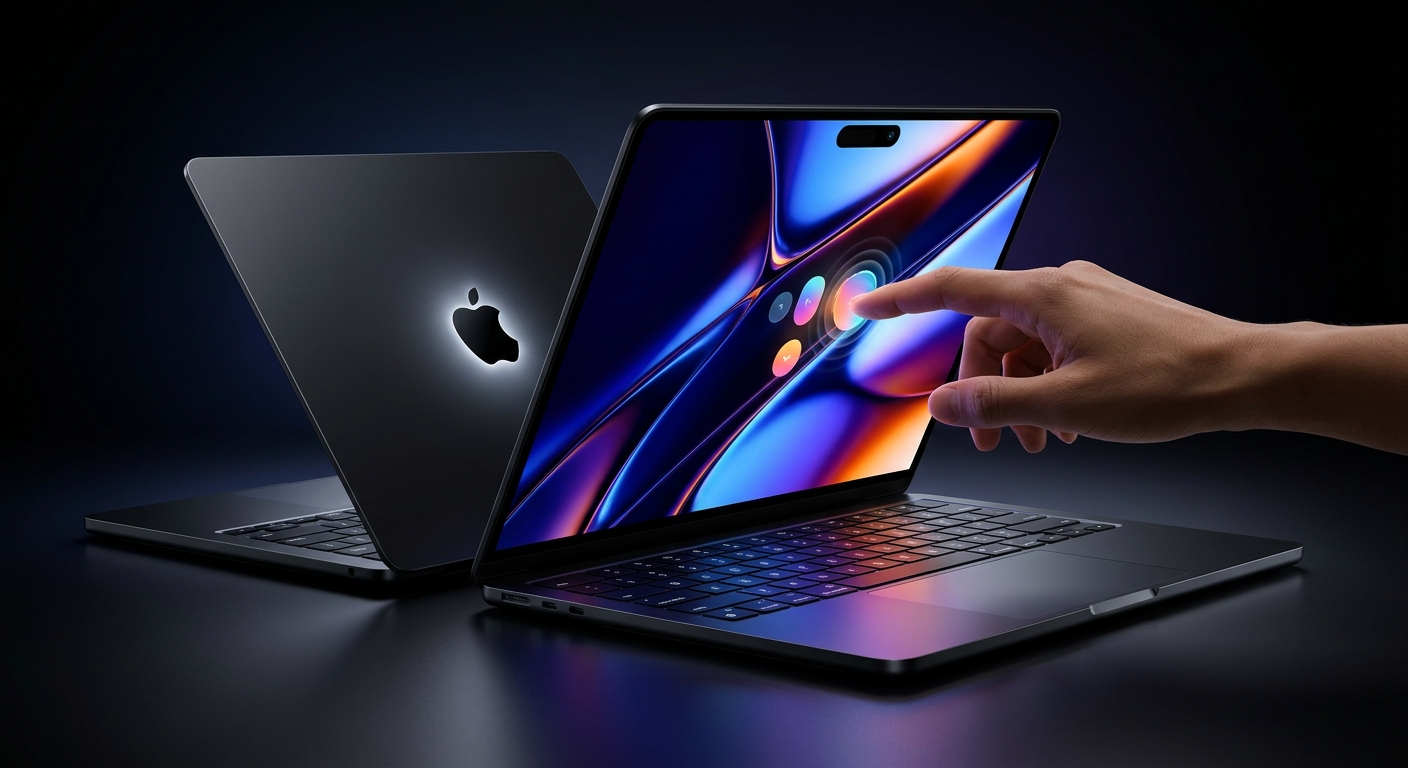
Apple doesn't usually launch two MacBook Pros in the same week. This week it did. One is a faster, familiar 14-inch laptop at a price many people can stomach. The other is the most dramatic MacBook Pro change in years: a touchscreen, an OLED display, and a price tag that will make your wallet flinch.
So which one is for you? And is the shiny new one worth the money? Let's break it all down.
Same name, same week, completely different laptops. Picking the wrong one is an expensive mistake.
The Quick Answer (If You're in a Hurry)
- Choose the M6 MacBook Pro if you want a fast, reliable laptop for study, work, coding or everyday creative projects without paying a premium.
- Choose the touchscreen OLED MacBook Pro if you edit video, photos or music for a living and the screen and raw power directly affect your income.
- Wait if you're not sure. Real-world reviews are coming, and patience costs nothing.
Launch One: The 14-inch MacBook Pro With M6
Announced on October 27, this is the "sensible" one. It's the first 14-inch MacBook Pro to run Apple's new M6 chip, and it keeps the look you already know.
What's New Inside
- A bigger chip: a 12-core CPU and 12-core GPU, two more cores of each than the M5 it replaces.
- Faster graphics: Apple claims up to 30% faster graphics than M5.
- More AI muscle: a dual 16-core Neural Engine that Apple says is up to 1.9x faster than M5's, aimed at on-device AI tasks.
- Faster builds for developers: Apple says Xcode project builds are up to 1.3x faster than on M5.
- Modern wireless: Wi-Fi 7 and Bluetooth 6 through Apple's N1 chip.
- Battery: rated for up to 24 hours.
- A better webcam: a 12MP Center Stage camera, handy for calls and content creation.
Price and Configurations
- $1,999: 16GB memory with 1TB storage
- $2,399: 32GB memory with 1TB storage
- Education price: starts at $1,899
- Colors: Silver and Space Black
- Maximums: up to 32GB of memory and 4TB of storage
Pre-orders opened on October 28, and the laptop goes on sale on November 6.
The Catch
The entry price is $1,999, and the base model now starts with 1TB of storage rather than a smaller drive. That's generous storage, but it also means there is no cheaper way in. If you only need a light laptop for browsing and documents, a MacBook Air is probably the smarter spend.
Launch Two: The Touchscreen OLED MacBook Pro
This is the headline act. After years of insisting that Macs don't need touch, Apple has built one with a touchscreen. It's a big reversal, especially for a company that tried the Touch Bar nearly a decade ago and later dropped it. This time the touch is on the whole display.
Apple calls the screen a PROLED XDR display, built on tandem OLED technology. It comes in 14-inch and 16-inch sizes.
What Makes It Special
- The display: up to 2,000 nits of peak brightness in both HDR and SDR, and a 10,000,000:1 contrast ratio. In plain English, deeper blacks, brighter highlights and colors that pop.
- Touch on a Mac: tap, drag and interact directly with the screen, a first for the MacBook Pro line.
- Dynamic Island: it replaces the notch at the top of the screen.
- Pro-level chips: M5 Pro and M5 Max options, with up to 128GB of unified memory.
- Huge storage: up to 16TB, double the previous limit.
- Thinner and lighter: a redesigned body that sheds weight.
- Better sound: deeper bass and improved audio even with the lid closed.
- A nostalgic touch: the illuminated Apple logo on the lid is back after a ten-year absence.
- Ports pros actually use: three Thunderbolt 5 ports, HDMI, an SDXC card slot, MagSafe and a headphone jack.
- Multi-monitor power: up to three external displays on M5 Pro and four on M5 Max.
The Price (Deep Breath)
- 14-inch: starts at $2,899
- 16-inch: starts at $3,399
- Fully loaded: configurations can climb as high as $14,549
Yes, you read that right. A maxed-out configuration costs more than many people earn in several months. Apple is aiming squarely at professionals here: video editors, photographers, music producers and anyone whose work is limited by their screen and processor.
Head to Head: M6 vs Touchscreen OLED
Screen
The M6 model keeps the Liquid Retina XDR display, which is already excellent. The OLED model is in another league for contrast and brightness, plus it adds touch. If you color-grade footage or edit HDR photos, this difference is real. If you mostly write documents and join video calls, you probably won't miss it.
Performance
The M6 chip is newer, but the M5 Pro and M5 Max are higher-tier chips built for heavy workloads like 8K video, large 3D scenes and big code builds. For everyday multitasking, the standard M6 is already plenty. Heavy professional work is where the Pro and Max chips earn their price.
Memory and Storage
The M6 laptop tops out at 32GB of memory and 4TB of storage. The OLED model reaches 128GB and 16TB. Most people will never need that much, but the people who do really do.
Price
The gap is large. The cheapest OLED model costs $900 more than the base M6, and the top configurations are in a different universe. Ask yourself honestly: will the extra capability earn that money back?
So Who Should Buy What?
Students and Everyday Professionals
The M6 MacBook Pro is the one to look at. It's fast, it has a long battery life, and the education discount helps. Nothing you do in class or at the office will strain it.
Developers
The M6 is a strong pick for coding, especially with the faster builds and AI improvements. If you work with giant codebases or run large local AI models, look at the higher-memory options.
Video Editors, Photographers and Musicians
This is the group the OLED model is built for. The display, the memory and the storage all target your workflow. Wait for independent reviews, then decide.
Everyone Else
Be honest about what you actually do on your laptop. If it's mostly browsing, streaming and documents, you may not need either of these.
Release Dates and How to Buy
- Pre-orders: Apple opened pre-orders for both laptops in the days around the announcements, through apple.com and the Apple Store app.
- On sale: November 6 for the new models.
- Countries: Apple's pre-order lists cover roughly 30 to 35 countries and regions. If yours isn't on the list, expect availability through local resellers or imports, and expect different pricing.
Dates and prices can differ slightly by region, so check Apple's store for your country before you commit.
Should You Buy on Day One?
Our advice: don't rush. Early adopters of a redesigned product, especially a touchscreen laptop in a line that has never had one, are the ones who discover the quirks first. Independent reviewers will soon publish battery tests, thermal results and real editing benchmarks. A week of reading will tell you more than any launch video.
If you need a laptop right now for work, the M6 model is the lower-risk choice. If you're eyeing the OLED, let the first wave of owners test it for you.
The Bigger Picture
This week shows where Mac is heading: more AI done on the device itself, faster wireless, and a willingness to rethink the screen. Touch on the MacBook Pro is a bet that the way we use laptops is changing. Whether it pays off will be decided by the people who spend their days on these machines.
Your Turn
Which one are you leaning towards: the practical M6 or the powerful OLED touchscreen? Would you actually use touch on a MacBook? Tell us in the comments. And if you know someone who has been waiting for a new MacBook, send them this post before they click "Buy."