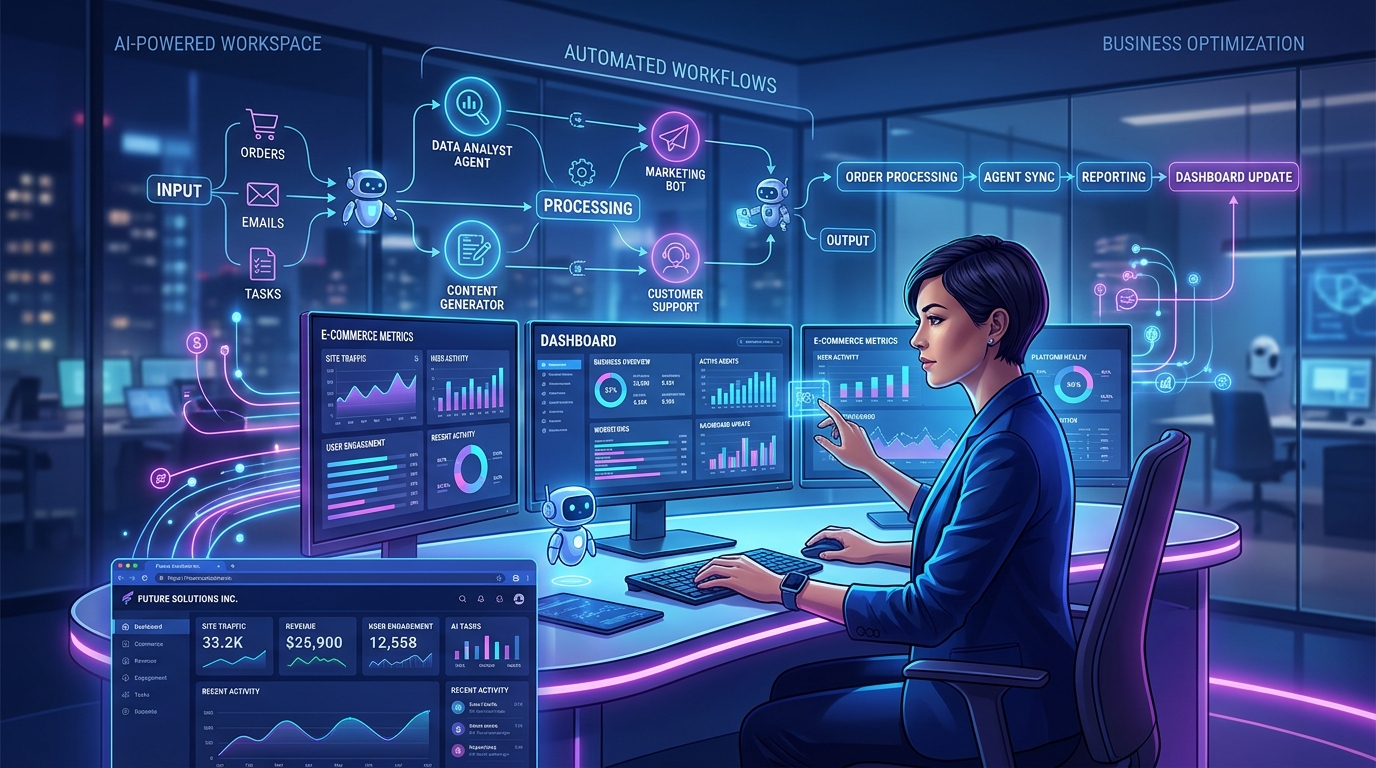
Artificial intelligence is evolving beyond simple chatbots and text generators. In 2026, one of the most important developments is the rise of AI agents: systems designed to understand goals, plan tasks, use digital tools, and complete multistep workflows with varying levels of human supervision.
From automating customer support to assisting software developers and coordinating business operations, AI agents are opening new possibilities for freelancers, startups, and established companies. Instead of using AI only to generate an answer, businesses are increasingly exploring how AI can help carry out an entire process.
However, adopting AI agents successfully requires more than choosing a powerful model. Businesses must understand how these systems work, which tasks are appropriate for automation, and where human review is still essential.
In this guide, we explore the major AI agent trends of 2026, practical use cases, potential risks, and the steps businesses can take to implement AI responsibly.
What Are AI Agents?
An AI agent is a software system that uses artificial intelligence to pursue a defined goal. Depending on its design and permissions, it may interpret instructions, break a goal into smaller tasks, retrieve information, interact with other software, and evaluate the results.
A traditional chatbot primarily responds to user messages. An AI agent can go further by using connected tools to perform actions. For example, a chatbot might explain how to organize a customer database, while an appropriately configured agent could categorize approved records, prepare a report, and present the results for review.
The distinction is important: not every AI assistant is an autonomous agent, and not every agent can operate independently. Its capabilities depend on the model, available tools, system design, permissions, and safeguards.
How AI Agents Typically Work
- Understand the objective: Interpret the user's request and identify the intended result.
- Plan the workflow: Break the objective into smaller steps and determine which resources are required.
- Use connected tools: Access approved APIs, databases, documents, or applications when the necessary integrations are available.
- Execute tasks: Complete permitted actions, gather information, or generate deliverables.
- Check the results: Validate outputs against defined requirements and handle errors where possible.
- Request human approval: Pause for confirmation before sensitive, irreversible, or high-impact actions when required.
These steps can vary significantly between systems. Reliable automation depends on clear instructions, controlled access, testing, and effective monitoring—not simply on giving an AI model a task.
Why AI Agents Are a Major Trend in 2026
The AI industry is moving toward systems that combine reasoning, tool use, and workflow execution. Rather than treating every request as an isolated conversation, businesses are exploring ways to connect AI to repeatable processes that create measurable value.
According to G2's 2026 AI Agents Report, 66% of surveyed organizations had AI agents in limited or scaled production. The report also highlights growing expectations around reliability, trust, and effective oversight. These findings suggest that businesses are increasingly focused on operational results rather than experimentation alone.
Research from Gartner on emerging generative AI adoption trends also identifies agentic AI, multimodal capabilities, and specialized models as important developments shaping the next phase of adoption.
The practical lesson is straightforward: successful AI adoption is not about automating everything. It is about identifying repetitive, measurable tasks where AI can deliver value without introducing unacceptable risks.
7 Practical Ways Businesses Can Use AI Agents
1. Automate Repetitive Administrative Work
Many professionals lose valuable time switching between applications, organizing information, updating records, and preparing routine reports. AI agents can help coordinate these activities when they have suitable integrations and permissions.
For example, a business might configure an agent to collect information from approved sources, organize it into a structured report, and notify the responsible team when the report is ready. Another workflow could categorize incoming requests and prepare a daily summary.
The objective is to reduce repetitive manual effort while leaving judgment-intensive decisions to people.
2. Improve Customer Support
Customer support teams handle recurring questions about pricing, service availability, onboarding, account access, and troubleshooting. An AI-powered support workflow can search an approved knowledge base, draft responses, classify incoming requests, and route complicated issues to the appropriate person.
For straightforward questions, carefully tested systems may resolve requests automatically. For complaints, payment disputes, security concerns, or unusual cases, escalation to a human representative is often the safer choice.
Businesses should regularly review answer quality, response times, customer satisfaction, and escalation rates to determine whether automation is improving the service experience.
3. Support Marketing and Content Creation
Marketing involves many connected activities, including topic research, content planning, drafting, editing, publishing, and performance analysis. AI agents can help organize this workflow and reduce the time required to move from an idea to a completed draft.
- Research topics relevant to a target audience.
- Build a content calendar based on business priorities.
- Generate initial drafts for blog posts, newsletters, and social media captions.
- Adapt approved messaging for different platforms.
- Prepare performance summaries from available analytics.
AI-generated content still requires factual verification, originality checks, appropriate brand alignment, and human editing. Publishing automatically without review can lead to inaccurate claims, repetitive content, or messages that do not reflect the company's values.
4. Accelerate Software Development
Software development is another area where agentic systems are attracting attention. Depending on their capabilities, coding agents can help developers understand an existing codebase, draft implementation plans, generate code, create tests, investigate errors, and prepare documentation.
These capabilities can be useful for frontend development, API integration, test automation, and routine maintenance. However, generating code does not guarantee that the code is secure, correct, maintainable, or ready for production.
Developers should use version control, code reviews, automated tests, dependency checks, and security testing. Access to production systems and sensitive credentials should be restricted, and important changes should require appropriate approval.
5. Organize Business Information
Businesses often store information across meeting notes, project boards, documents, spreadsheets, email, and calendars. With the right integrations, AI agents can help consolidate this information into a more organized workflow.
For example, a meeting-management workflow might extract action items from approved meeting notes, draft tasks with owners and due dates, and prepare entries for a project database. A person can then confirm the details before the tasks are saved.
Tools such as project management platforms, knowledge bases, and calendar applications can serve as the information layer for these workflows. Availability depends on the integrations, access permissions, and features supported by each platform.
6. Build and Maintain a Business's Online Presence
A professional website remains an important part of a company's digital presence. Customers use websites to learn about services, compare options, explore products, and contact businesses.
AI-powered website generation is making the initial creation process more accessible. Instead of starting with a blank page, users can describe their goals, provide business information, or supply relevant documents to generate an initial website structure and content.
Platforms such as A3 iFrame help turn ideas, documents, and business requirements into functional websites using AI. This approach can help businesses get started more quickly, while leaving room to review content, refine the design, and confirm that the final website meets their needs.
AI-generated websites still need appropriate quality checks. Businesses should verify contact details, test forms and navigation, review mobile layouts, check accessibility, and ensure that security and privacy requirements are addressed before launch.
7. Assist With Data Analysis and Reporting
AI agents can help people work with structured information by summarizing datasets, identifying patterns, preparing explanations, and generating draft reports. When connected to approved analytical tools, they may also help coordinate repeatable reporting tasks.
For instance, a small business could use an automated workflow to gather sales data, compare performance across periods, and prepare a weekly summary of revenue, customer activity, and outstanding tasks.
The results should be validated against the original data. Businesses must also protect sensitive information and avoid treating AI-generated interpretations as verified facts without appropriate checks.
AI Agents vs. Traditional AI Assistants
Traditional AI assistants are commonly used for interactive tasks such as answering questions, brainstorming, summarizing documents, and generating content. AI agents extend this approach by coordinating actions across tools to work toward a defined outcome.
- Traditional AI assistant: Helps write an email, explain a concept, or summarize a document.
- AI agent: May prepare an email using approved information, organize supporting documents, and submit the draft for review through a connected workflow.
- Automated workflow: Executes predefined steps when a trigger occurs, such as creating a task when a form is submitted.
These categories can overlap. A workflow may combine conventional automation, an AI assistant, and one or more agents. In many business environments, that combination is more predictable than relying on a fully autonomous system for every step.
Important Risks Businesses Should Consider
AI agents can introduce new risks because they may interact with external systems or carry out actions rather than merely generate text. A successful implementation must account for these risks from the beginning.
Accuracy and Reliability
AI systems can misinterpret instructions, produce incorrect answers, or fail when information is incomplete. Test workflows with realistic examples and edge cases, verify important outputs, and define what the system should do when it cannot confidently complete a task.
Privacy and Data Security
Agents may process business documents, customer records, or confidential communications. Follow the relevant provider's data policies, use approved integrations, restrict permissions, and avoid sharing sensitive information unnecessarily.
Excessive Permissions
An agent should have access only to the tools and data needed for its task. Where possible, use read-only access for research, limit write permissions, and require confirmation before deleting records, sending external messages, changing account settings, or performing financial actions.
Unexpected Costs
Long workflows, repeated model calls, large document collections, and frequent retries can increase operating costs. Monitor usage, establish budgets, set execution limits, and stop workflows when they exceed expected thresholds.
Human Oversight
Automation does not remove responsibility. Assign an owner to each important workflow, keep appropriate logs, define escalation procedures, and review performance after deployment. Human oversight is especially important when errors could affect customers, finances, legal obligations, or business security.
How to Start Using AI Agents: A Step-by-Step Plan
You do not need to automate your entire business at once. A smaller, measurable project is usually a better starting point.
- Identify a repetitive task. Choose a process that consumes time and has a clear expected outcome.
- Document the current process. Record the inputs, decisions, tools, exceptions, and final deliverable.
- Select the appropriate approach. Use conventional automation for predictable rules and AI where language understanding, classification, or flexible reasoning adds value.
- Connect only necessary tools. Configure the minimum permissions required and protect credentials.
- Test with sample cases. Include normal requests, incomplete information, unusual inputs, and failure scenarios.
- Add human approval where needed. Require review before consequential or irreversible actions.
- Measure the results. Compare time saved, accuracy, cost, error rates, and user satisfaction against the original process.
Once the first workflow performs reliably, expand it gradually. Avoid adding complexity before the core process has demonstrated consistent value.
What Does the Future of AI Agents Look Like?
AI agent technology is likely to continue developing through improved tool use, multimodal understanding, specialized models, and better coordination between systems. Businesses may increasingly combine agents with existing applications instead of replacing every tool they already use.
However, greater capability will not automatically translate into better business results. Organizations will still need reliable integrations, clear objectives, useful evaluation methods, secure access controls, and people who understand when automation should stop.
The most effective systems will be those designed around specific business needs. A small business may gain more value from automating one dependable customer-support workflow than from deploying a complex network of agents without clear responsibilities.
Frequently Asked Questions
Are AI agents useful for small businesses?
Yes. Small businesses can explore AI agents for repetitive tasks such as organizing inquiries, drafting content, preparing reports, and coordinating approved workflows. The best starting point is a task with measurable benefits and manageable risks.
Do AI agents work without human supervision?
Some agents can perform limited tasks independently within predefined boundaries. However, their level of autonomy varies by system. Human approval, monitoring, and escalation remain important for sensitive, uncertain, or high-impact actions.
Do AI agents require programming skills?
Not always. Some platforms provide visual workflow builders or natural-language interfaces, while more advanced implementations may require programming, APIs, and technical configuration. The requirements depend on the complexity of the workflow and the tools involved.
Can AI agents build websites automatically?
AI-powered website tools can generate website layouts and content from prompts or supplied information. The amount of automation varies by platform, and the finished website should be reviewed and tested before publication.
How can a business measure the value of an AI agent?
Track practical metrics such as time saved, completion rates, accuracy, cost per task, customer satisfaction, and the frequency of human corrections. Compare these measurements with the existing process rather than relying only on the number of tasks automated.
Final Thoughts
AI agents represent an important step in the evolution of artificial intelligence, moving from isolated responses toward coordinated actions and complete workflows. They offer opportunities to streamline repetitive work, support customers, improve software development, organize information, and help businesses operate more efficiently.
The key is to adopt AI thoughtfully. Start with a clear problem, choose the right tools, protect sensitive information, test before deployment, and keep humans involved where judgment matters.
For businesses building their digital presence, combining AI-assisted website creation with well-designed business workflows can provide a practical foundation for growth. Explore A3 iFrame to discover how AI can help turn your website idea and business requirements into a functional online presence.